For 4K video, pick a card marked V30 or U3. The SD Association (sdcard.org) names U3 or V30-V90 for 4K at 60 frames per second. For 4K at 30 fps it names U1 or V6-V10, so V30 or U3 also clears that. For phones and tablets, A1 and A2 are the ratings meant for them, though sdcard.org names no required class.
The three example cards below are all UHS-I, and two are microSD cards sold with an SD adapter, so they fit SD slots. Check your device's manual for the exact card it supports.
What the symbols mean
Four rating families sit on a card label. Each guarantees something different, and none of them is the same as the "up to" speed on the box.
Speed Class (C2, C4, C6, C10). The number is the minimum write speed in MB/s. sdcard.org defines Classes 2, 4, 6 and 10. The guarantee holds for sequential writes to an unfragmented area of the card. sdcard.org says Class 10 is usually the minimum for full HD (1080p) recording.
UHS Speed Class (U1, U3). These apply to UHS-I, UHS-II and UHS-III cards.
- U1: assures a minimum write speed of 10 MB/s.
- U3: assures a minimum write speed of 30 MB/s.
Video Speed Class (V6, V10, V30, V60, V90). The number after the V is the minimum sustained write speed in MB/s.
- V6, V10: 6 and 10 MB/s.
- V30: 30 MB/s, for UHS hosts.
- V60, V90: 60 and 90 MB/s, for UHS-II and UHS-III hosts.
Video Speed Class also supports a suspend and resume function for sequential writes.
Application Performance Class (A1, A2). A1 comes from the SD Physical 5.1 specification and A2 from 6.0. They rate random read and write operations per second, plus minimum sustained sequential speed.
Speed class is not bus speed
The bus is the connection between card and device. It sets a ceiling. The class says what the card sustains. sdcard.org says maximum speed "varies depending upon the card performance."
| Bus | Bus speed (sdcard.org) |
|---|---|
| Default Speed | 12.5 MB/s |
| High Speed | 25 MB/s |
| UHS-I | 50 MB/s (SDR50, DDR50); 104 MB/s (SDR104) |
| UHS-II | 156 MB/s full duplex (data moves both ways at once); 312 MB/s half duplex (one way at a time) |
| UHS-III | 624 MB/s full duplex |
| SD Express | Up to 3,940 MB/s (PCIe Gen.4) |
Three points tie the bus to the class:
- Plain Class 10 cards run on the High Speed bus, which tops out at 25 MB/s. The example cards below also carry UHS-I marks, so they use the faster bus.
- The "up to" read speeds on those cards are the makers' best-case figures. They sit above the 104 MB/s top UHS-I bus speed sdcard.org lists, so treat them as marketing, not a guarantee.
- V60 and V90 need a UHS-II or UHS-III host.
Capacity types
The capacity name tells you the file system, which matters when a device only reads some types.
- SD: up to 2 GB, FAT12 and FAT16.
- SDHC: over 2 GB to 32 GB, FAT32.
- SDXC: over 32 GB to 2 TB, exFAT.
- SDUC: over 2 TB to 128 TB, exFAT. sdcard.org's capacity page does not say when SDUC cards reach the market.
Which class for which use
| Use | Class sdcard.org names |
|---|---|
| 720p or 1080p video | U1, U3 or V30-V90; Class 10 is usually the minimum for 1080p |
| 4K at 30 fps | U1 or V6-V10 |
| 4K at 60 fps | U3 or V30-V90 |
| 1080p at 120 fps or more, and 4K | U3 or V30-V90 |
| Android phone or tablet apps | A1 or A2 are the ratings for these products; sdcard.org names no required class |
sdcard.org names no class for 8K cameras. It says people shooting high-bitrate 4K, 6K or 8K should consider larger-capacity cards.
How to read a card label
Take a label with C10, U3, V30 and A2 on it, plus "UHS-I" and "up to 190 MB/s".
- UHS-I is the bus the card is built for.
- C10, U3 and V30 are minimum-write guarantees.
- A2 is the app performance rating.
- Up to 190 MB/s is the maker's best-case figure, not a class. Compare the symbols, not that number.
Three example cards
We picked one card for each use and describe each only by the markings in its Amazon listing title. The Amazon links below are affiliate links; see our affiliate disclosure.
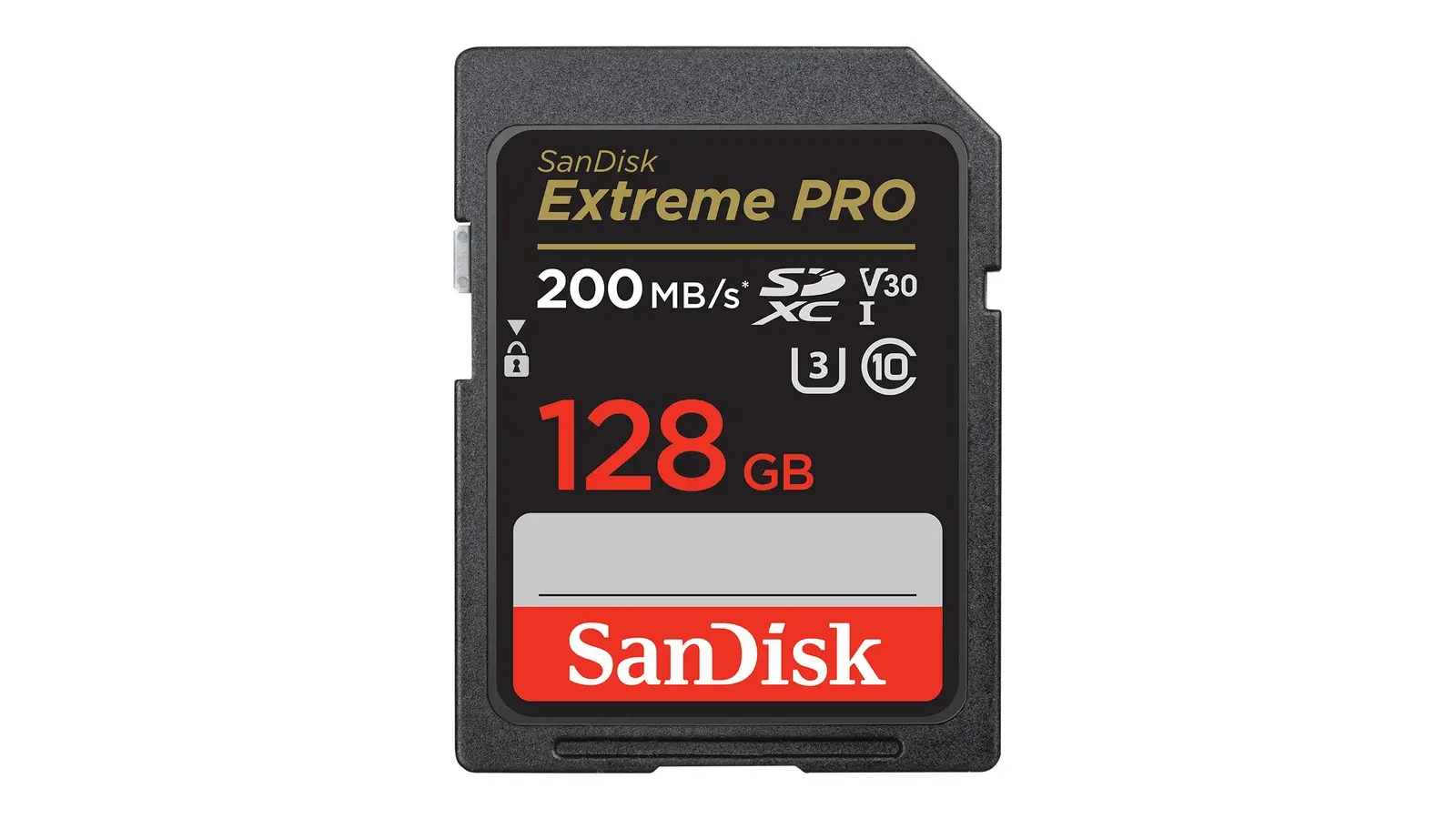
- 4K video: SanDisk Extreme PRO SD (SDSDXXD-128G-GN4IN). The listing shows UHS-I, V30, U3, C10, up to 200 MB/s read and up to 90 MB/s write.
- Phone storage: Samsung PRO Plus microSDXC with adapter, 256GB (MB-MD256SA/AM). The listing shows UHS-I, C10, U3, V30, A2 and up to 180 MB/s. A2 is the Application Performance Class meant for products like Android phones and tablets.
- Action cam: SanDisk Extreme microSD with adapter (SDSQXAA-128G-GN6MA). The listing shows UHS-I, V30, U3, C10, A2, up to 190 MB/s read and up to 90 MB/s write.
For more on choosing the camera itself, see our best action cameras of 2026.
Pitfalls
- The host must support the rating. sdcard.org says A2 needs command queuing (the card can line up several requests) and a cache (a small fast buffer), and A2 performance is available only with an A2 host and an A2 card.
- Match the card to the host's symbol. sdcard.org says to choose the same or a higher class symbol than the one the host shows. Mixing different class symbols does not deliver the expected write speed.
- Fragmentation matters. A card fills up with files scattered in pieces over time, and Speed Class write guarantees assume an unfragmented area of the card.
- Check capacity support. SDXC cards use exFAT, and SDHC cards use FAT32.
If a phone's own storage is the problem rather than a card, see our guide to fixing iPhone storage full.