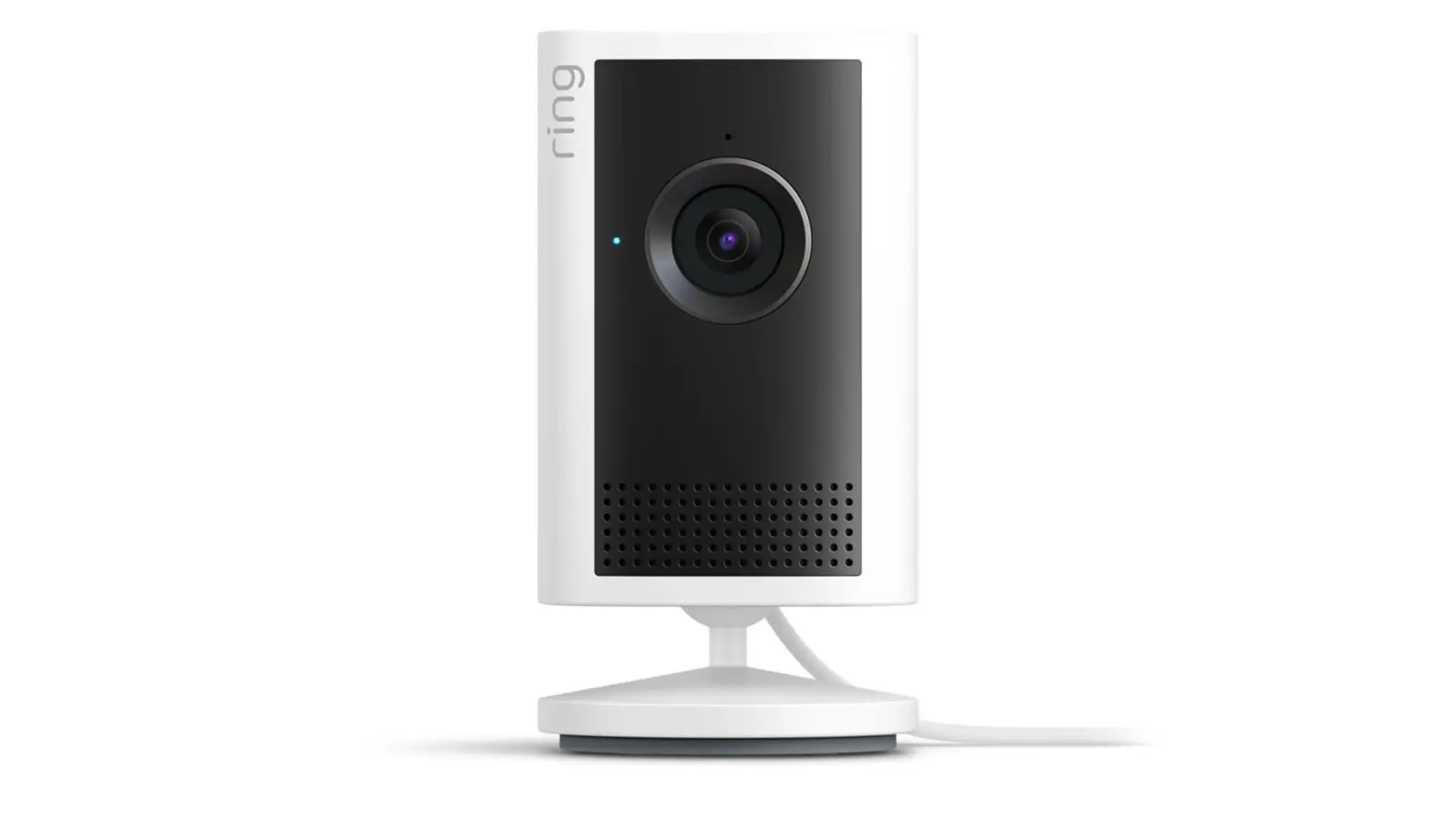
Home cameras can be watched through ordinary gaps: a reused or default password, no second login step, a router that opens the camera to the internet, or old software. The FTC says default and reused passwords are easy for hackers to find online. The fixes below are in an order we suggest.
How cameras get watched
CISA says default log-in passwords may be readily available on the internet or even printed on the device, and that malware inside your network can use Universal Plug and Play (UPnP) to bypass the router's firewall. Our report on AI worms and smart home devices covers the newer threat.
Some cameras are exposed by design. The research site hacked.camera says hundreds of brands of cameras, baby monitors and doorbells use peer-to-peer (P2P) features with known flaws, and that over 10.2 million vulnerable devices had been found online as of March 2026.
The Wall Street Journal reports, in its guide to webcam safety, that the first step is to avoid cheap or unfamiliar brands. It quotes security researcher Paul Marrapese as saying established makers ship fixes while small sellers often do not.
Shared access is the quiet gap. Ring lets you remove a shared user and sign out every device, and Google tells Nest owners to invite people instead of sharing a password. Ring lists a suspicion of unauthorized access as a reason to sign out every device.
Fixes, in an order we suggest
1. Set a unique password. The FTC says not to use the camera's default username and password. The UK's NCSC says to change the default and suggests three random words. Use a password you have never used elsewhere.
2. Turn on two-factor. The FTC says to set up two-factor authentication for the cloud account if it is available. Each brand's exact path, from its own help page, is in the next section.
3. Update the camera and the router. CISA says to keep device software and router firmware current and use automatic updates where offered. Google lists automatic security updates among Nest camera specs, and eufy says to keep both app and device firmware updated.
4. Turn off UPnP and port forwarding. The NCSC says to disable UPnP and port forwarding on the router, noting some routers ship with UPnP off and that turning it off may break gaming or media-server features. CISA gives the same UPnP advice.
5. Put cameras on their own network. The FTC suggests putting cameras on a separate network from devices like your computer or printer. That way, it says, someone who hacks your computer or gets onto your main network would not also have easy access to your cameras. It points to your router maker for setup steps.
6. Review who has access. Ring says to open the menu, then Settings or Control Center, User Permissions, tap the person and the address, then Remove user from this location and Delete User.
Ring also says Control Center, Authorized Client Devices, Remove All Devices signs out phones and computers; tick the checkbox to sign out the current phone too, then tap Remove Devices.
Ring says signing out of all devices does not unlink Alexa devices.
Tapo tells owners to review trusted devices and Device Sharing settings. The FTC says some cameras offer different permission levels.
7. Choose where video lives. Arlo says cloud video is encrypted with AES 256-bit when stored. eufy says only you and people you allow can reach recordings stored on its HomeBase S380. Our SanDisk Guardian report covers cards sold for security cameras.
8. Cover or switch off indoor cameras. The FTC says to consider a camera that lets you disable remote viewing. Tapo lists a privacy mode among its settings. For a private room, unplug the camera or turn it to face a wall while you are home.
9. Replace a camera that is exposed by design. The hacked.camera page says to buy a new device from a reputable vendor, because P2P devices are exposed by design. If you must keep one, it says to block outbound traffic to UDP port 32100, and that local access still works.
Where to turn on two-factor, brand by brand
Ring: menu, Control Center, Account Verification, then pick text message or an authenticator app. Arlo: profile or menu icon, Account Profile and Security, Two-Step Verification, then tap the plus sign to add a method.
Google Nest: for Nest accounts not yet migrated to a Google Account, in the Nest app, Settings, Account, Manage account, Account Security, then 2-step verification and turn it on. Follow the prompts to enter your password, phone number and the code sent to your phone; Google says this signs you out on other devices.
Wyze: Account, Security, Two-Factor Authentication, by text message or authenticator app.
eufy: app sidebar, Control Center, Two-Factor Authentication. Tapo: Me, View Account, Login Security, then switch on Two-Step Verification. TP-Link says the Me button's position varies by app version.
| Brand | Two-factor | End-to-end encryption |
|---|---|---|
| Ring | Not stated | Optional, not on some models |
| Google Nest | Required on accounts not yet moved to a Google Account | Not stated |
| Arlo | Required | Not stated |
| Wyze | Mandated for all customers | Not stated |
| eufy | Not stated | Listed for HomeBase S380 |
| Tapo | Optional, recommended | Not stated |
Table cells come from the linked maker pages. "Not stated" means the page does not say.
Laptop webcams
Apple says a green light beside a Mac's camera shows it is on, and you can switch camera access off per app in System Settings, then Privacy & Security, then Camera.
Microsoft says a Windows camera light turns on when the camera is active, and a notification appears if there is no light. In Windows 11, the path is Settings, Privacy & security, Camera.
Microsoft says an app can use the camera when Camera access, Let apps access your camera and that app's own toggle are on. Turn off the ones you do not want.
Microsoft says desktop apps cannot be toggled individually, the Let desktop apps access your camera switch gives limited control, and some desktop apps might still reach the camera when it is off. A sliding cover adds a physical block.
Why it matters
Our assessment: the FTC, CISA and NCSC pages cited point at the same few settings: a unique password, two-factor where offered, updates, and the router. Arlo and Wyze say two-factor is required or mandated. Arlo documents the setup steps for it.
What we could not confirm
As of Oct. 16, 2026, the Ring and eufy pages cited do not say whether two-factor is required. The Google Nest, Arlo, Wyze and Tapo pages cited do not mention end-to-end encryption.
As of Oct. 16, 2026, the Apple and Microsoft pages cited do not mention webcam covers. The Ring, Arlo and TP-Link pages cited do not say how long a model keeps receiving updates.
The CISA page is labeled archived content and dates from 2021.
Related: AI worms and smart home devices and SanDisk Guardian cards.