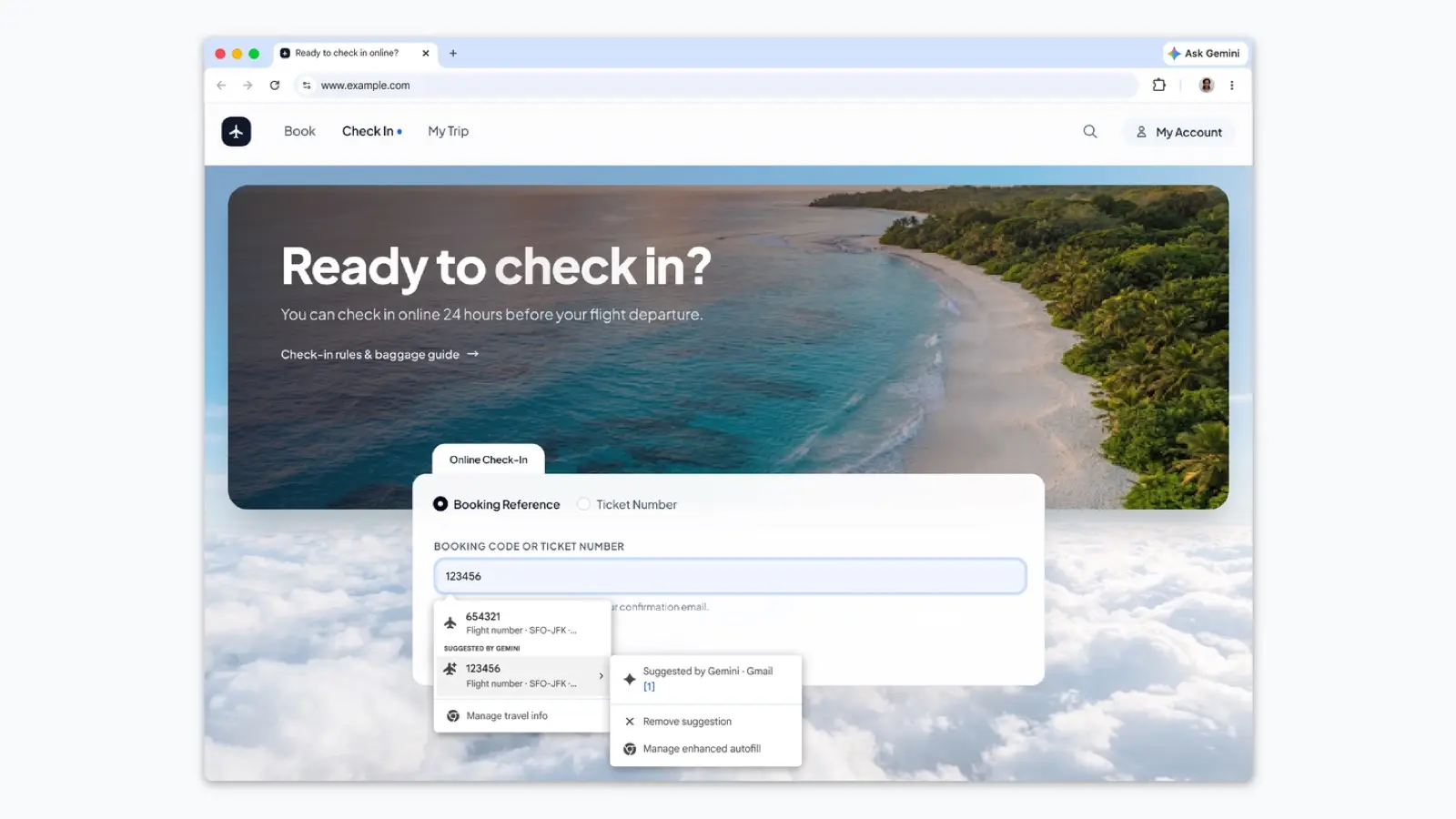
Google says Chrome's enhanced autofill can now suggest information pulled directly from Gmail when you fill in a form. Google's examples are order numbers, tracking information and flight bookings. Google says the rollout is beginning in the U.S., and availability may vary.
What changed
Google says Chrome can now look in your Gmail and offer matching details when you fill in a form.
Google's post lists order numbers, tracking information and flight bookings as examples. It does not say which form fields Chrome will fill or which kinds of email it reads.
Google also says Google Photos images are coming "soon." They are not available yet.
Who is affected
Google says the feature is for U.S. users who have Gemini in Chrome and Personal Intelligence enabled. It works on desktop, Android and iOS.
- You will see it if you are in the U.S. and have both of those settings on. Google says the rollout is beginning, so it may not show up for everyone right away.
- You probably will not see it if you have not enabled Gemini in Chrome or Personal Intelligence, or you are outside the U.S. Google describes it as a U.S. feature for people with both on.
We covered Personal Intelligence in cars in our Android Auto report.
What to do
Google says you can turn enhanced autofill on or off, and choose what it can access, in Chrome settings. The post does not give the exact menu path, so we are not guessing one.
- If you want it: leave it on and check which sources it is allowed to use.
- If you do not: open Chrome settings, look for the autofill options and switch enhanced autofill off.
Google says sensitive data is encrypted and that you stay in control. It did not say whether the data leaves your device or how Gmail content is processed, so those questions are open.
What this means for you
Autofill that reads your inbox is convenient for order and travel forms, and Google says it needs Gemini in Chrome and Personal Intelligence turned on first. If you already use Gemini in Chrome, review the autofill settings now rather than after the feature reaches you.
Chrome has other privacy controls worth a look. See our guide to Chrome's Enhanced Protection warnings.
What we checked
Everything here comes from Google's announcement, checked at 1:45 p.m. ET on Oct. 28. We have not tested the feature. Google did not state the exact settings path, whether data leaves the device, how Gmail content is processed or which form fields are filled.