The short version
Sony's PS5 rules are PCIe Gen4 x4 NVMe, a heatsink and a size cap, plus a recommended 5,500MB/s read speed. Pick a drive that ships with its heatsink. Our picks: the Lexar NM790 for value at $204.99, and the Samsung 990 PRO to play it safe at $303.97.
All four 1TB drives here state PS5 support and ship with a heatsink. The differences are write speed, endurance and price. Every figure comes from a linked Sony or maker page.
What Sony specifies
Sony's PS5 M.2 page lists the interface as "PCI-Express Gen4x4 supported M.2 NVMe SSD (Key M)", with capacities from 250 GB to 8 TB. It recommends a sequential read speed of 5,500MB/s or faster.
It says M.2 SATA SSDs are not supported. A Gen3 NVMe drive or a SATA-style M.2 stick is not a PS5 upgrade, even if it fits the slot.
Size and heatsink limits
Sony accepts form factors 2230, 2242, 2260, 2280 and 22110. With cooling attached, the drive can be up to 25 mm wide and up to 11.25 mm thick: 8.0 mm above the board and 2.45 mm below it.
Sony says to use a heatsink or heat transfer sheet, and not to use a drive without a heat-dissipation mechanism. It says single-sided cooling is an easier fit than double-sided. Drives sold with a heatsink built in avoid the sizing guesswork.
What Sony does not promise
Sony says it cannot guarantee that every drive meeting the spec will work, and that not every game will play with the same performance as the console's internal storage, even above 5,500MB/s.
If a game has problems on the added drive, Sony says to move it to the internal storage. Keep that in mind before you buy a drive for its top speed.
Four 1TB heatsink drives with PS5 support
Maker-stated figures for the 1TB model with its heatsink, from the linked pages.
| Drive | Read / write (MB/s, maker) | Endurance | Warranty |
|---|---|---|---|
| Samsung 990 PRO w/ Heatsink | 7,450 / 6,900 | 600 TBW | 5 years or 600 TBW |
| Lexar NM790 with Heatsink | 7,400 / 6,500 | 1,000 TBW | 5 years |
| SanDisk Optimus GX PRO 850P | 7,300 / 6,300 | 600 TBW | 5 years or TBW limit |
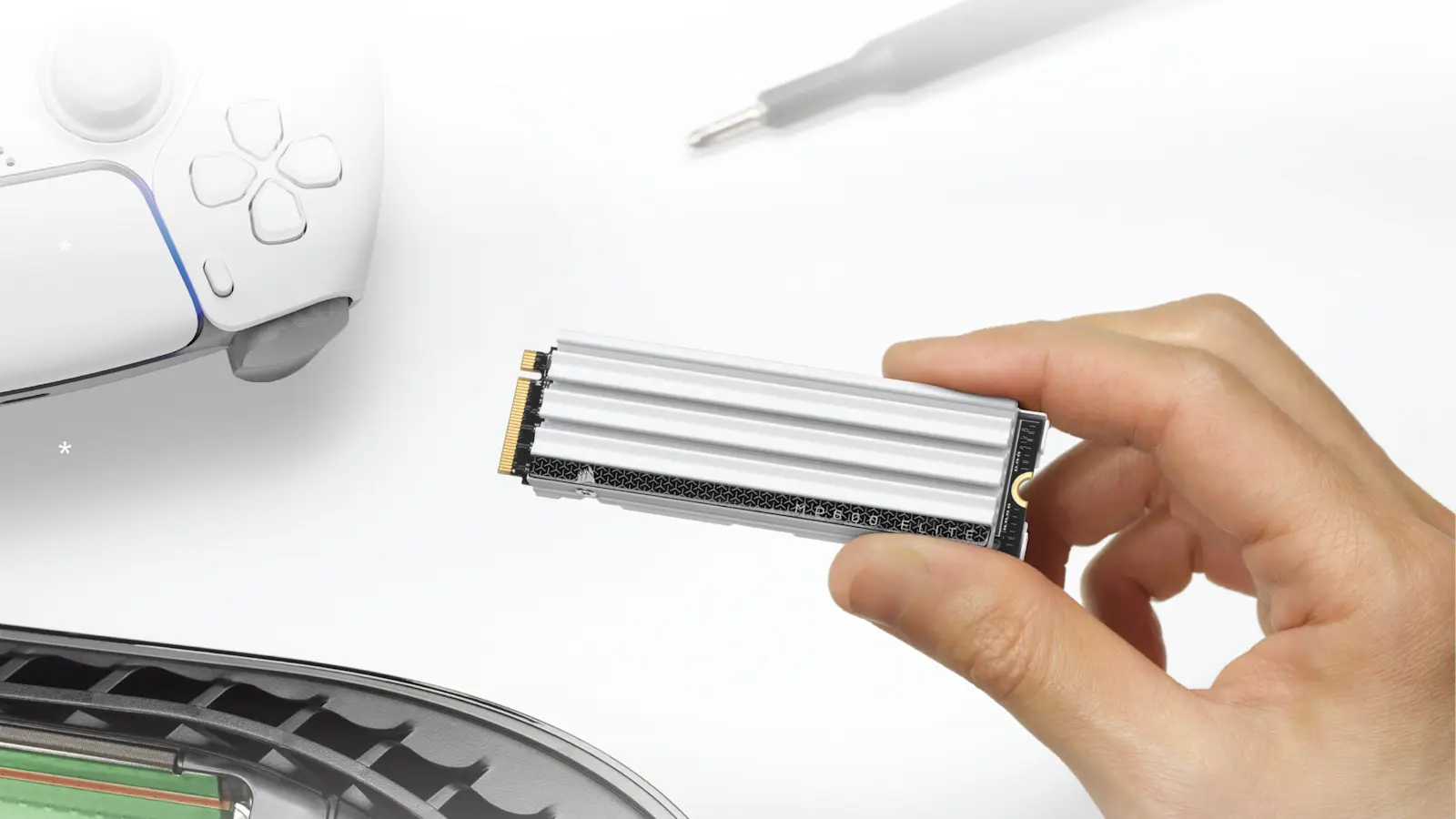
| Corsair MP600 Elite (white heatsink) | 7,000 / up to 6,500 | Not on the page | 5 years or endurance limit |
All four read speeds are well above Sony's 5,500MB/s recommendation. Samsung labels the 990 PRO with Heatsink "PS5 Compatible" and Lexar says "Compatible with PlayStation 5". SanDisk calls the 850P officially licensed for PS5 and PS5 Pro. Corsair says its drive exceeds Sony's M.2 requirements.
Corsair adds that performance and endurance vary by capacity, so its 6,500MB/s write figure may not apply to the 1TB size. Its warranty ends at five years, the endurance limit, or maximum SMART Percentage Used, whichever comes first.
Sony allows up to 25 mm wide and 11.25 mm thick with cooling. Lexar lists 24 by 9.7 mm, SanDisk 24.46 by 9.89 mm and Samsung 24.3 by 8.2 mm with its heatsink, all inside the limits. Corsair lists no dimensions, though it says its low-profile heatsink is made to fit the PS5.
TBW is terabytes written, the amount the maker rates the drive for. Lexar rates the NM790 at 1,000 TBW, while Samsung and SanDisk rate theirs at 600 TBW for 1TB. Corsair publishes no figure on its page.
US prices, 1TB
Prices are Amazon.com, read in Chrome between 11:45 a.m. and noon ET on Oct. 20. Stock and prices change often, so check the page before you buy. Our Samsung 990 EVO Plus 1TB deal story covers a different Samsung 1TB internal drive.
- Samsung 990 PRO w/ Heatsink: $303.97, sold by Amazon.com, in stock. Amazon shows a $339.99 list price.
- Lexar NM790 with Heatsink: $204.99, sold by Amazon.com, in stock.
- SanDisk Optimus GX PRO 850P: $309.99, sold by Amazon.com, in stock.
- Corsair MP600 Elite, white heatsink: $304.00, sold by Amazon.com, in stock.
Which to pick
Value pick: the Lexar NM790 with Heatsink at $204.99. It states 7,400/6,500MB/s and 1,000 TBW, about $100 under the other three.
Safe pick: the Samsung 990 PRO with Heatsink at $303.97, with the fastest stated speeds, 7,450/6,900MB/s. The SanDisk 850P ($309.99) states a PS5 license on its data sheet if that matters to you.
How to install it
Sony says to update the console's system software first, and to touch a grounded metal object to discharge static. Then power off, unplug everything and remove the console cover. Unscrew the expansion slot cover and move the spacer to match the drive's length.
Insert the drive diagonally into the slot, press it in, tilt it down and fasten the screw. Replace the slot cover and console cover, then power on. The formatting guide appears. Formatting erases the drive, so do it before you add games.
Not a PS5 drive, and where to read more
A USB drive is a different job. It plays PS4 games and stores PS5 games, but Sony says PS5 games on USB storage must be copied back before they can be played. For portable drives, see our portable SSD guide.
What we could not confirm
Corsair's page lists no endurance figure or dimensions. SanDisk's page is partly unreadable without a browser, so its figures come from the data sheet. Every figure above comes from the linked maker and Sony pages, and Sony does not guarantee any drive will work.